Case study N° 07 · Tools
Chromebook Fleet Audit
A two-person scan-and-review tool for auditing a school district's Chromebooks building by building.
Private tool, no public link
- Mapped to 24 buildings
- ~60names
- Anything the alias table can’t match is flagged before the import is applied.
- Per audit team
- 2people
- A Scanner with a barcode gun, and a Reviewer fixing records as they come in.
- Actions attributed
- 100%
- Every scan and fix is tied to a named operator, so day reports add up.
What it is
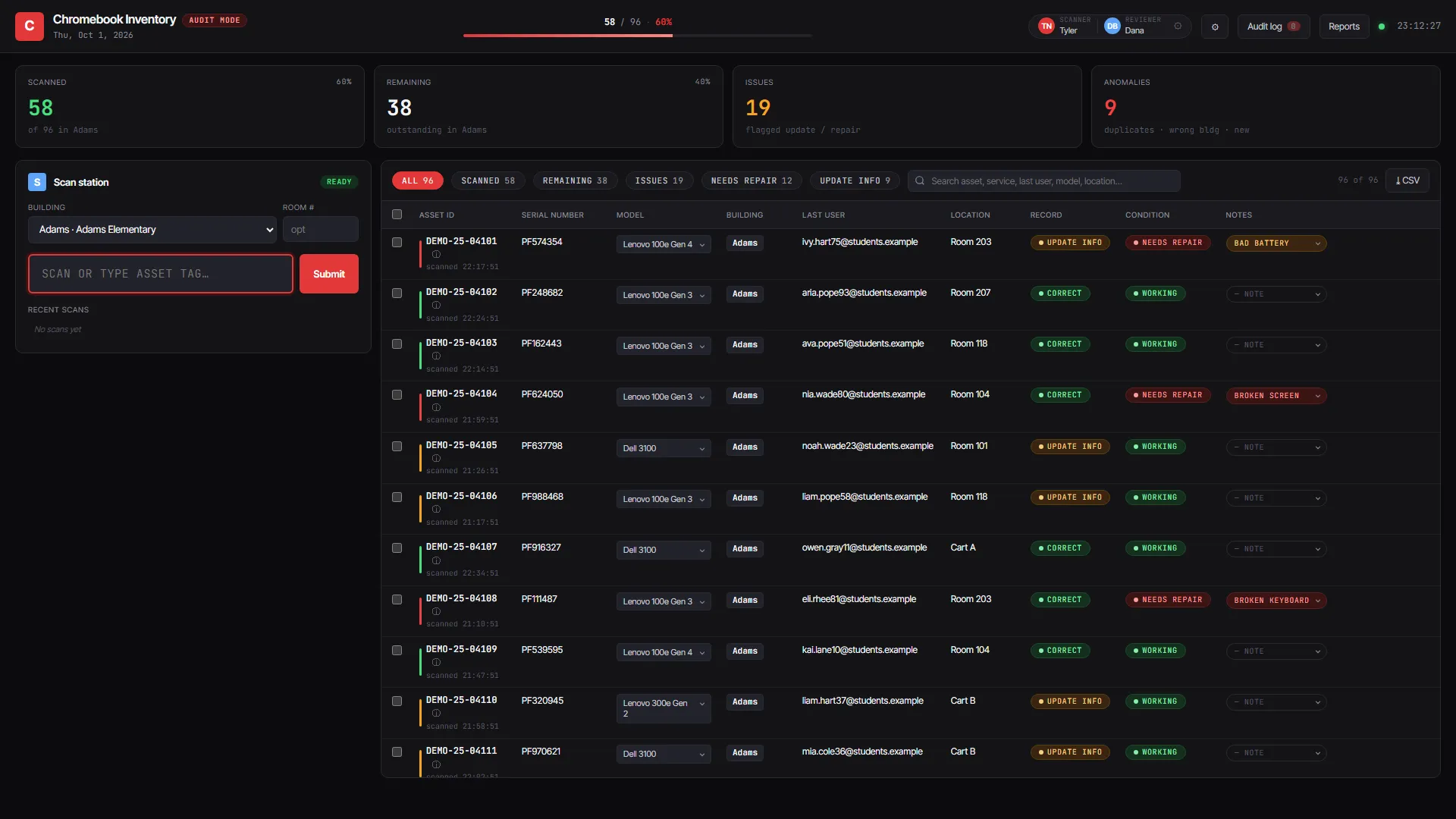
The companion app to the PAISD IT Dashboard. Two-person teams walk each building: the Scanner uses a wireless barcode gun, and the Reviewer checks and fixes records on a laptop in real time.
Highlights
- CSV import from Google Admin Console with a preview step. A building-alias table maps about 60 inconsistent location names onto 24 real buildings, and anything that can’t be matched gets flagged before it’s applied.
- Every action is attributed to a named operator. Day and session reports show KPIs.
- No build step: a single-file front end, a D1-backed API, and sign-in through Cloudflare Access restricted to
@paisd.orgGoogle accounts.
Methods
- Stack
- Vanilla JS, Cloudflare Pages Functions, Cloudflare D1, Cloudflare Access, Google OAuth.
- Data
- Internal tool, limited to district Google accounts. The screenshot uses invented devices, students and operators.
- Status
- In use since Jun 2026. PAISD audit teams.